
01
Routes, not one flat timeline
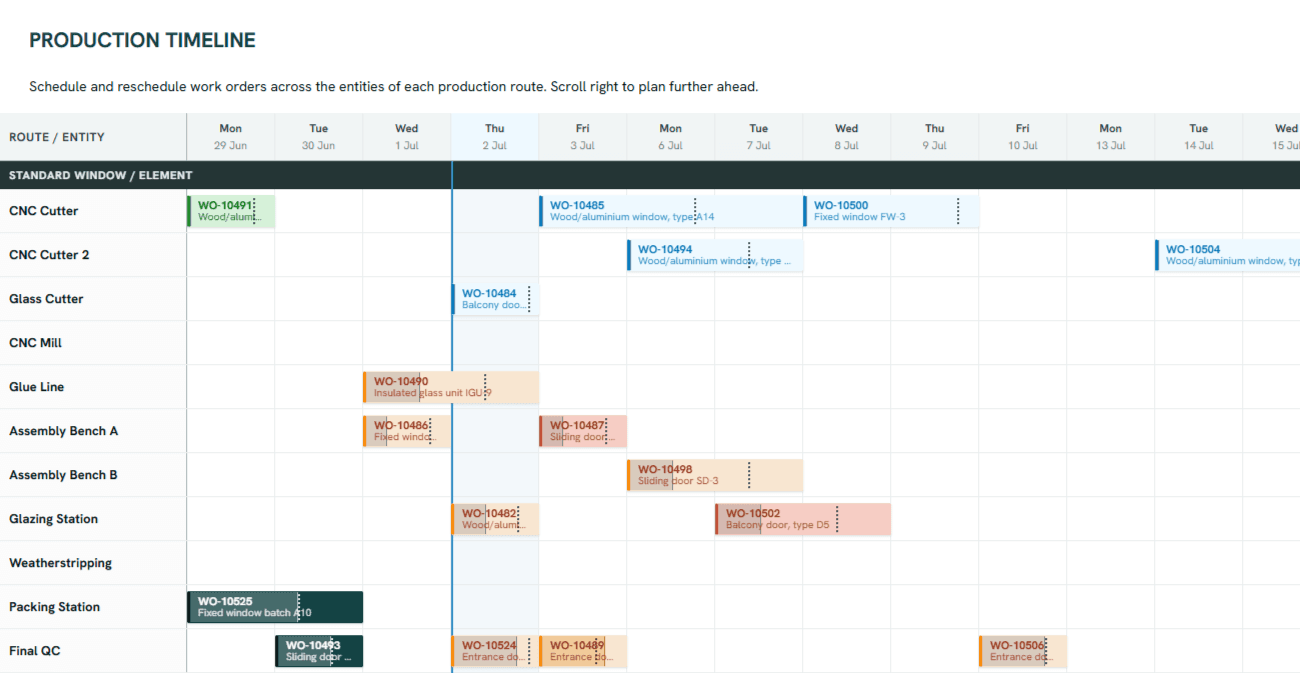
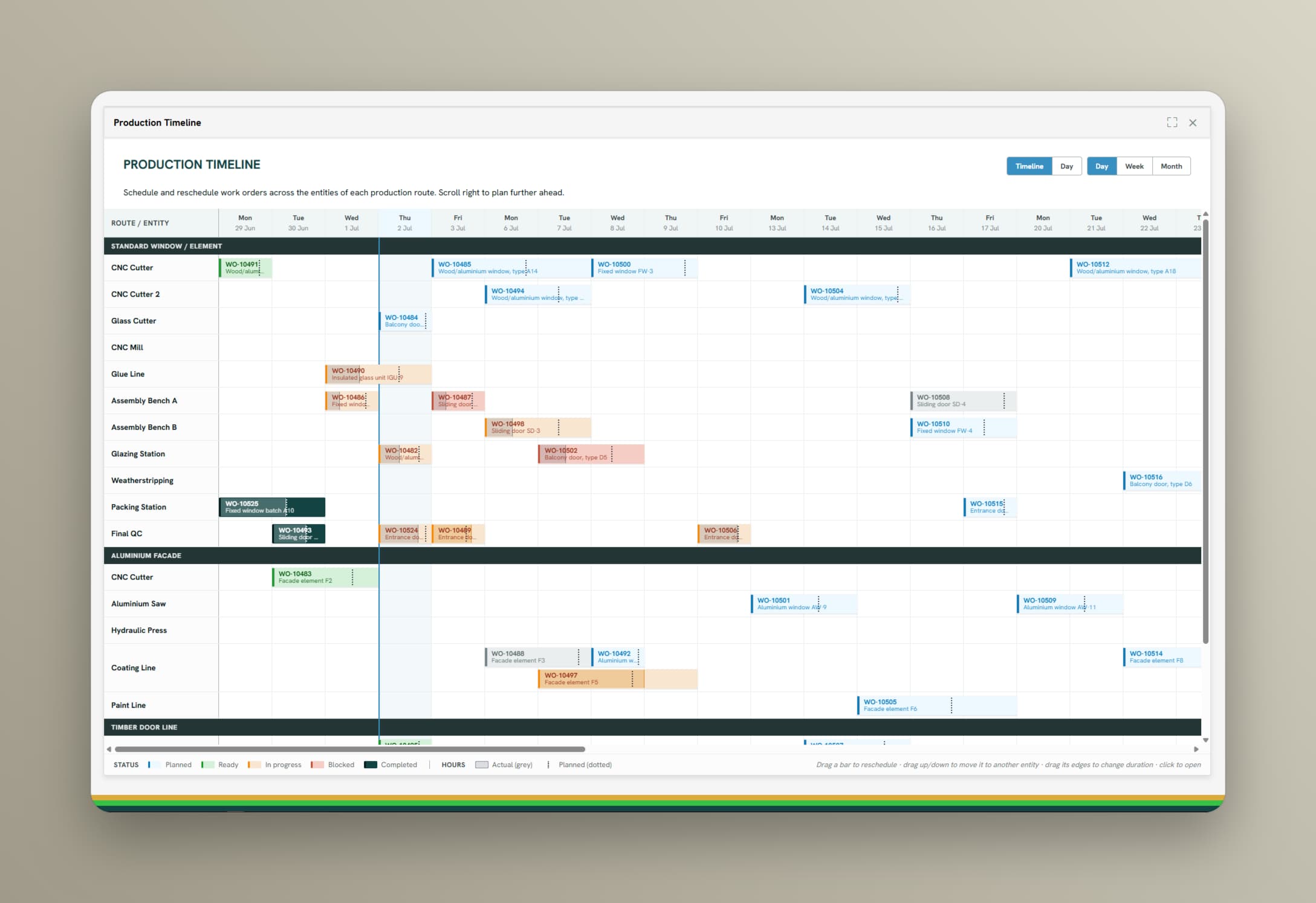
Each product has a route: cut, mill, glue, assemble, pack. Orders are sequenced across every entity on that route, so a slip at station two is visibly a problem at station five.
Production planning
Sequence orders across every entity on each production route, built on measured run rates and real availability of machines and workstations, and share the same plan with everyone who has to deliver it.
Typical results
Most plans are built from standard times set years ago and a capacity figure nobody has re-measured. The plan looks fine on Monday and has drifted by Wednesday. When planning reads from the same data as the floor, the run rates and the available hours are the ones the machines and workstations actually delivered, so the plan starts realistic and stays that way.
See capabilities
The plan, the orders, and the registrations from the floor share one data foundation, so a change in one shows up in the others.
Each product has a route: cut, mill, glue, assemble, pack. Orders are sequenced across every entity on that route, so a slip at station two is visibly a problem at station five.
Schedule against real available hours per machine or workstation, with shift patterns and planned maintenance accounted for. Standard times come from what was actually produced, per item and per setup.
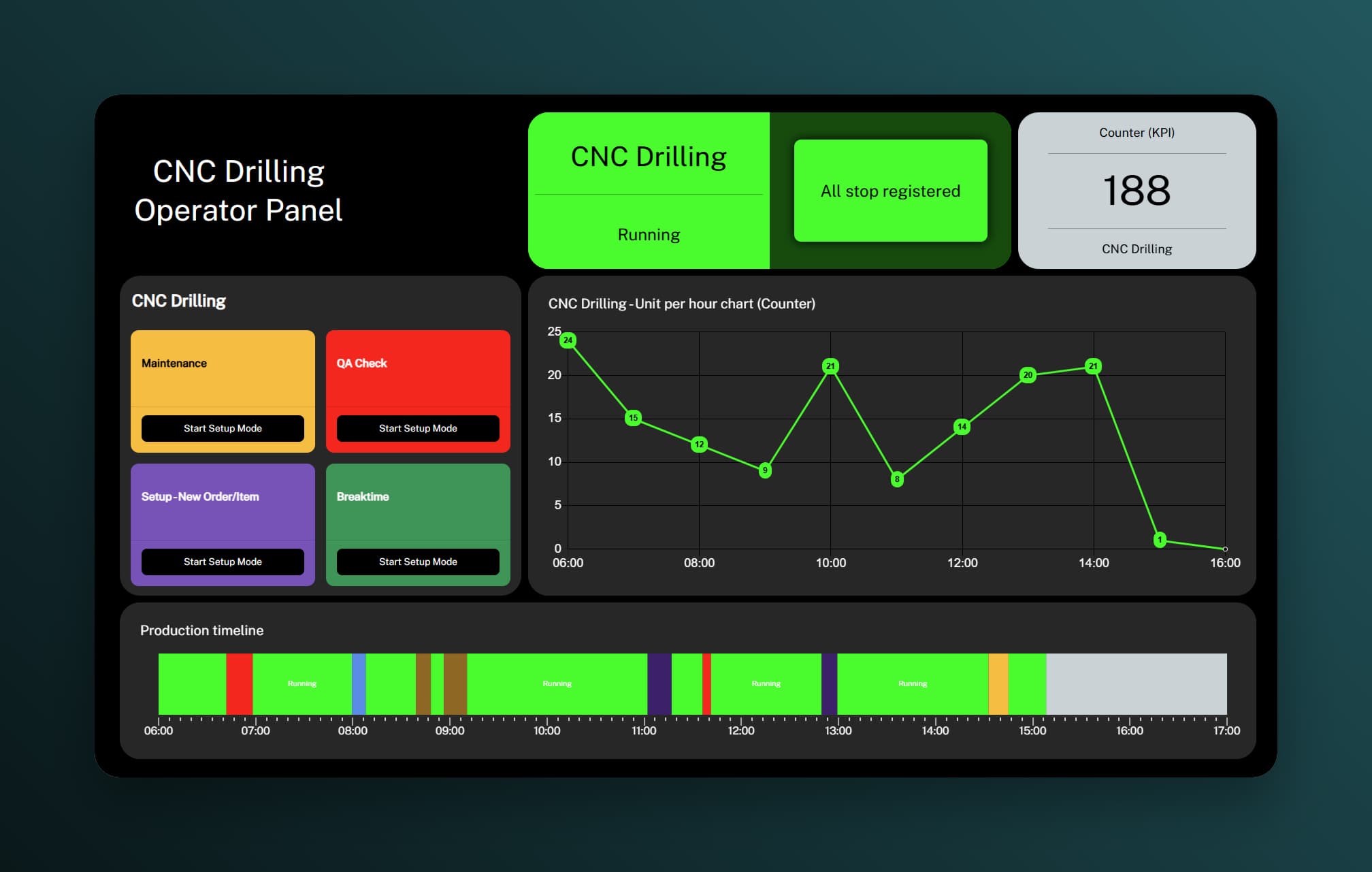
Operators see the same sequence the planner sees, on the panel at the machine or workstation. When a breakdown or a rush order hits, replan the affected window and see the knock-on effects right away.
Product view
Progress reports itself from the floor as the order moves along the route, so the plan always shows where each order actually is.
Route · entity
Executing on Door Press
Files for this step