
Insights
Real-time dashboards in OptiPeople Data Platform: See production now, decide faster
by OptiPeople Team
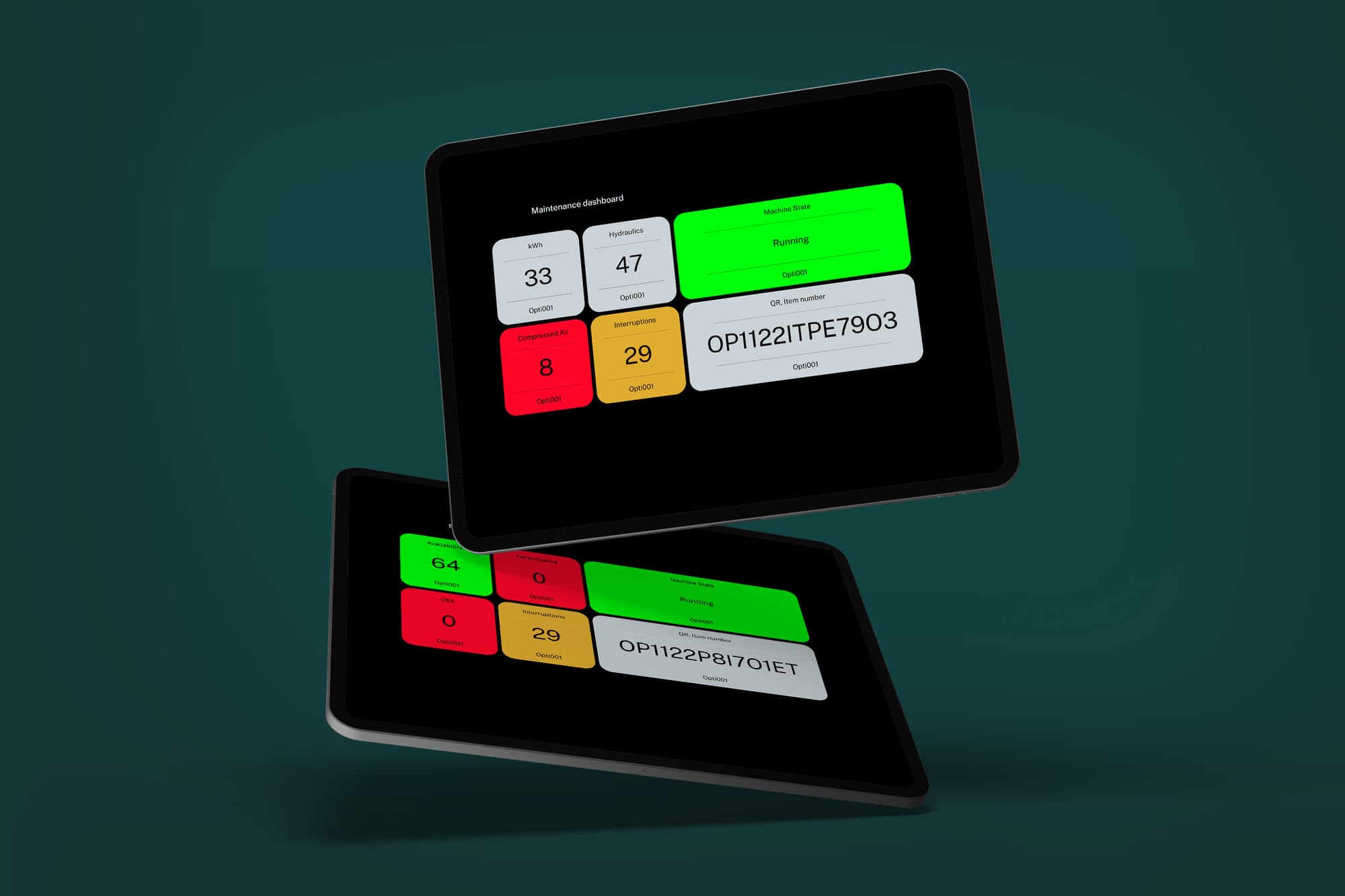
Live numbers, better decisions
Good decisions on the floor need numbers from right now, not from yesterday's shift report. Dashboards in OptiPeople Data Platform show what your machines are doing as it happens: whether they run or stand still, how many units they make, and where the time goes.
Built from widgets
You build a dashboard from widgets. Each widget shows one thing, such as machine status, a unit counter, units per hour, the production timeline, stops or orders. Pick the widgets and the machines you care about, and you have a live view built around the job.
That matters, because people need different views of the same factory. An operator wants the state of one machine. A technician wants stops and causes. A production manager wants OEE across lines and shifts.
Read it at a glance
Colour does a lot of the work. Machine status and the production timeline are colour-coded, so a stopped machine stands out at once. OEE is measured against the targets you set for availability, performance and quality on each machine, so you can see straight away whether a number is good or bad.
The operator panel at the machine
Each machine also has an operator panel: its status, its counter, units per hour, the timeline of the shift and the buttons operators use to register a stop or a setup. It is a page in the platform, so it can run on a screen or tablet at the machine. The stop causes registered there go straight into the stop and OEE figures everyone else sees.
Act while it still matters
When production moves fast, the sooner you see a problem, the sooner you can fix it. A live view of status, counts and stops lets you react during the shift instead of reading about it afterwards.
Read more about the OEE module, or get in touch to see the dashboards on your own production.