
Opti Assist
The answer is at the machine, one scan away
Put a QR sticker on the machine. The operator scans it, asks in their own words, and gets the answer from your manuals and the machine's live data, with the source to check. When it needs a person, one tap calls the technician.
- No login at the machine
- Danish and English
- Type, talk or send a photo
- Sources on every answer
Three steps from question to answer
- 01
Scan the sticker
Every machine gets its own QR code. The operator scans it with a phone or tablet and lands in the chat for exactly that machine. No app, no password.
- 02
Ask in your own words
Type the question, say it out loud, or send a photo of the screen. Ask in Danish or English, and the answer comes back in the same language.
- 03
Get the answer, or a technician
The answer comes from your own documents and live machine data, with the sources listed. If it is a job for a technician, Opti Assist says so and calls one.
What it does on the floor
Answers from your own manuals, with the page to prove it
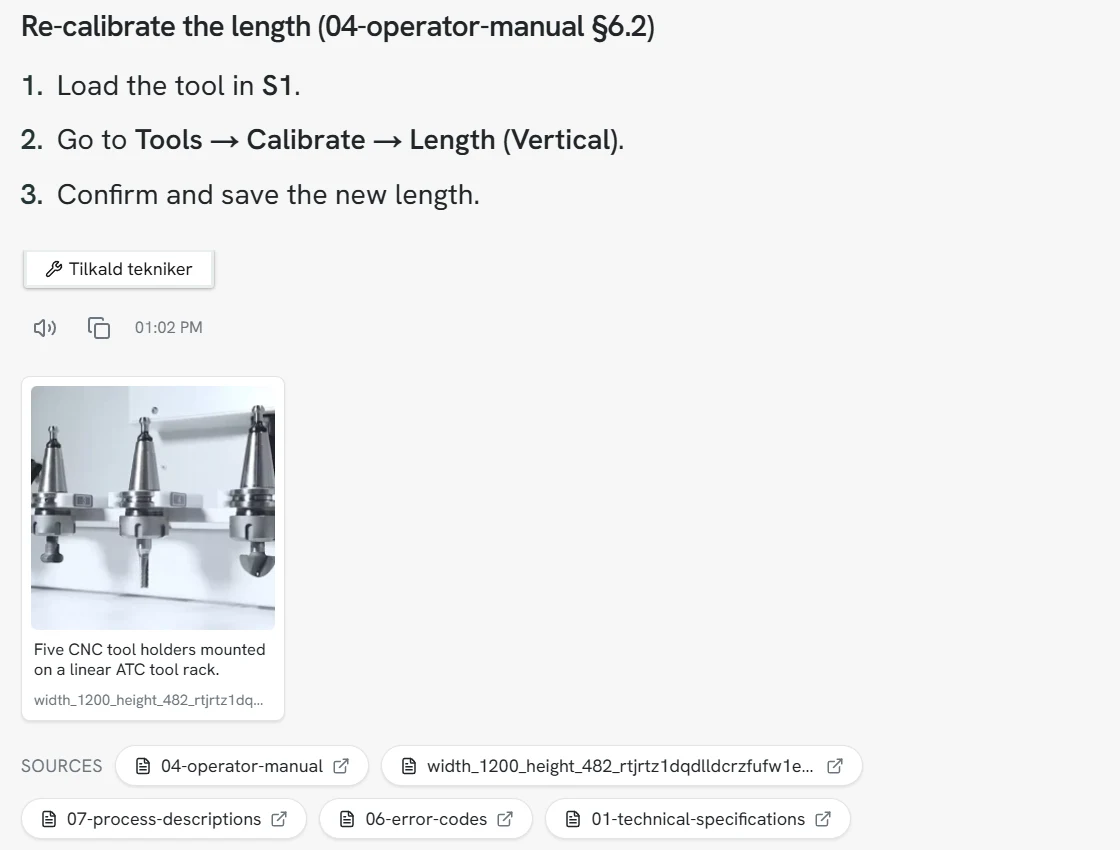
Opti Assist reads the manuals, drawings and procedures you upload for each machine. It answers step by step, shows the pictures from the documents, and lists every source. Tap one and the PDF opens. When the manual does not cover something, it says so instead of guessing.
Live machine data in the same chat
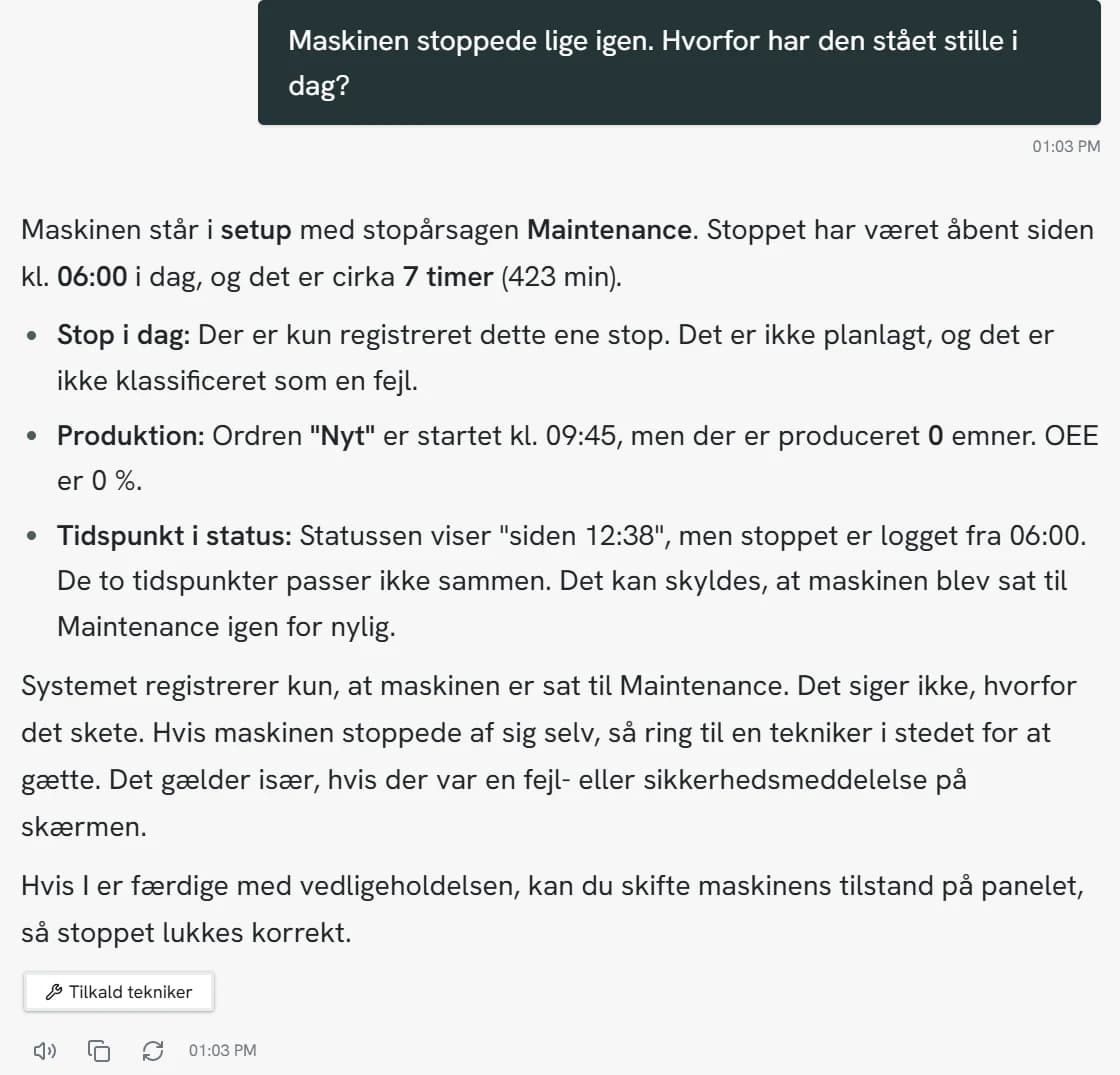
It is connected to the OptiPeople Data Platform, so it knows how the machine is doing right now: the state, the stop cause, the running order, parts produced and OEE. Ask why the machine is standing still, and get the real answer.
It knows when to call a technician
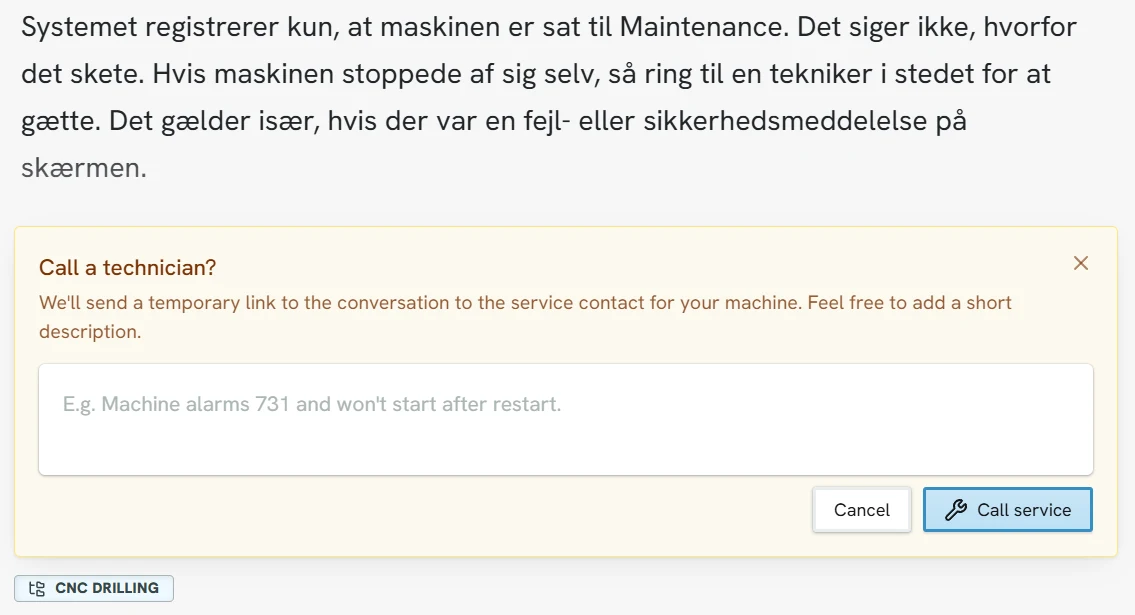
Technical and safety questions go to a person, not to a guess. One tap sends your service contact a text with a link to the conversation, so they know what is going on before they get to the machine.
One view across every machine
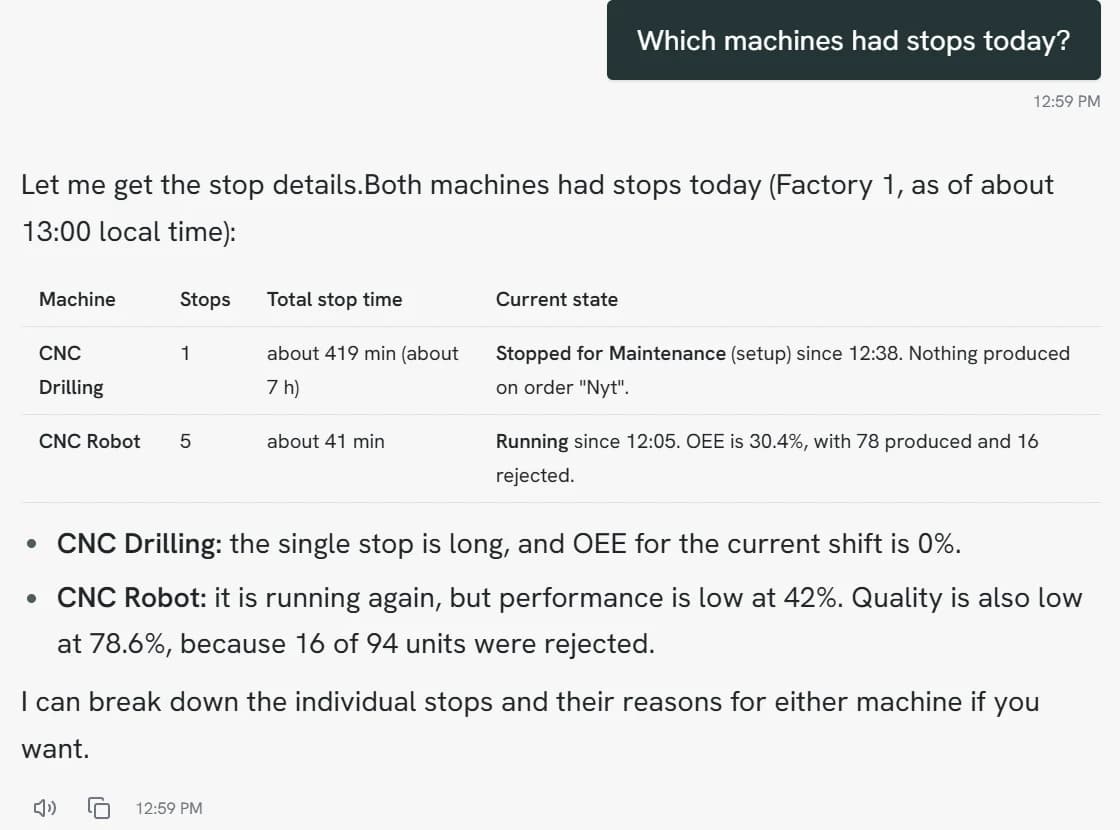
Production managers can ask across the whole account at once: which machines had stops today, how uptime compares this week, and where the manuals are missing.
Up and running in an afternoon
You set it up per machine in a simple admin. No integration project, no training course for the operators.
Drop in the manuals
Drag a folder of PDFs and pictures onto the machine. The folders stay as they are, and pictures get a description so they can be found.
Print the QR code
One code per machine. Put the sticker where the operator stands. You can replace or switch off a code at any time.
Choose who gets called
Pick the service contact. When an operator calls for help, the contact gets a text with a link to the conversation.
It learns from the floor
When an operator tells how a problem was solved, it becomes part of what Opti Assist knows about that machine, for the next shift.
Put your company's knowledge at every machine
See in a short demo how Opti Assist works as a knowledge bank, with your own instructions, procedures and quality checks.