
Insights
Reporting in OptiPeople Data Platform: Only the numbers you need
by OptiPeople Team
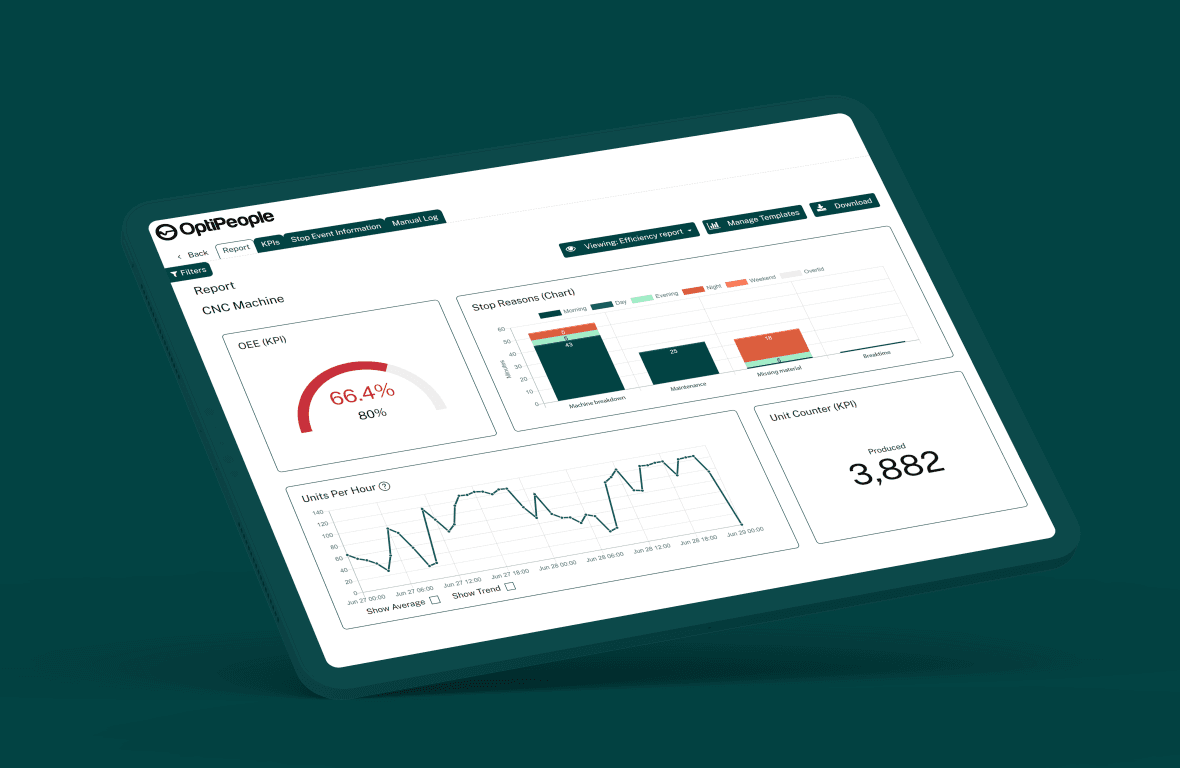
A good report answers one question quickly. Reports in OptiPeople Data Platform are built from the same live machine data as everything else in the platform, so nobody has to collect numbers by hand or paste them into a spreadsheet.
The OEE report
The OEE report shows availability, performance, quality and OEE for each machine. Next to them you get shift time, run time, planned and unplanned stop time, the number of stops, produced and rejected units per counter, and the biggest stop reasons.
Pick a week or a range of days. Narrow it to the shifts you care about, for example only the night shift. While a period is still running, the numbers keep updating.
Unit counts
Counter reports show produced, rejected and good units per machine and counter. You can look at them per hour, shift, day, week or month, and see the average day next to the best and the worst.
Stops
Every stop has a reason, a category and a duration, and each reason is set up as planned or unplanned. That lets you see which reasons cost the most time, how much of it was planned, and how many stops were never given a reason.
Telemetry
If your machines send telemetry, such as temperature, vibration, spindle speed or power consumption, you can follow those readings over time too. Group them by hour, shift or day, or look only at the time the machine was actually running. That is useful when you are tracking wear before it turns into a breakdown.
Dashboards for the daily view
The numbers you check every day belong on a dashboard. You build it from widgets, such as machine status, counters, stops and orders, so each team sees its own view of the same data.
Numbers anyone can read
The point is to get the numbers to the people who act on them, whether or not they are technical. Read more about analysis and reporting and the OEE module, or get in touch to see the reports on your own data.