Planning module
Plan the whole route, not just one timeline
Most schedulers give you a single production timeline. This one plans across the entities of each production route, on measured run rates and real machine availability, visible to everyone who has to deliver it.
What changes
- Per route
- Sequenced across every entity, not one flat line
- Measured
- Capacity from real output, not estimates
- One plan
- Shared by planning and the shopfloor
A product does not pass through one machine, so why plan as if it does?
Most production plans are built from standard times that were set years ago and a capacity figure nobody has re-measured since. The plan looks fine on Monday and has drifted by Wednesday. When planning reads from the same data as the shopfloor, the numbers underneath it are the ones the machines and workstations actually produced, so the plan starts realistic and stays that way.
Planning that stays connected to the floor
Routes, not one flat timeline
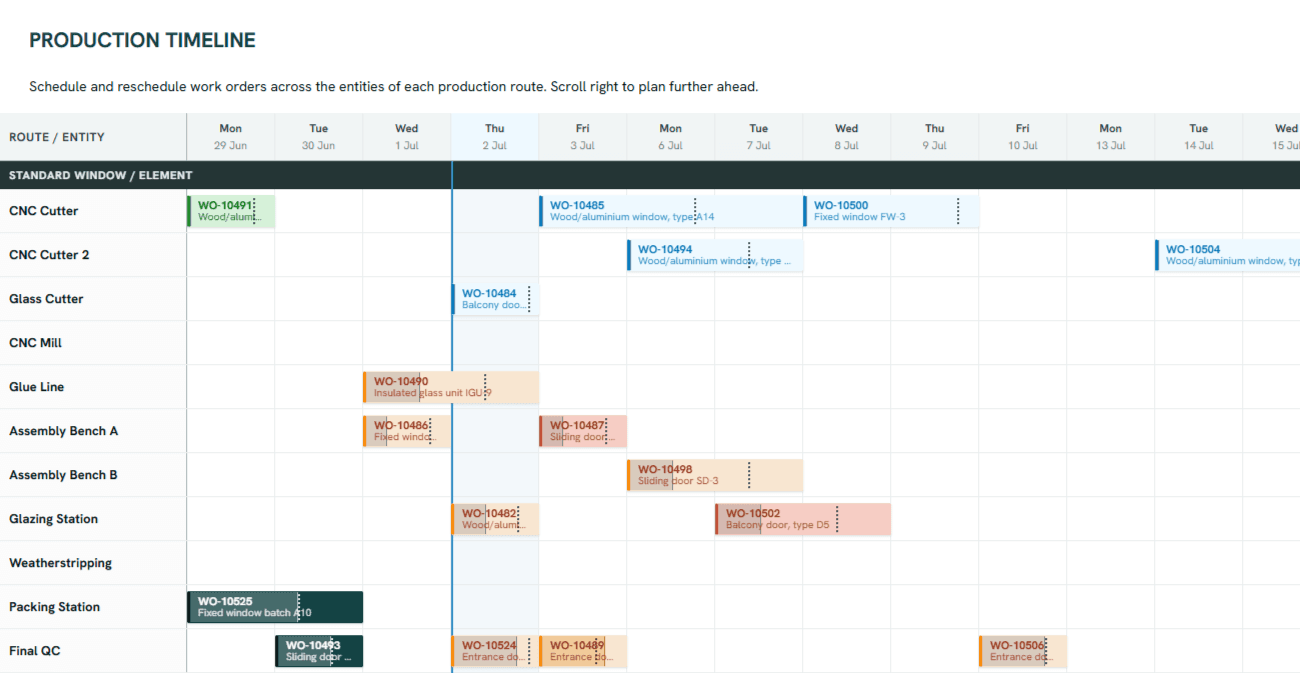
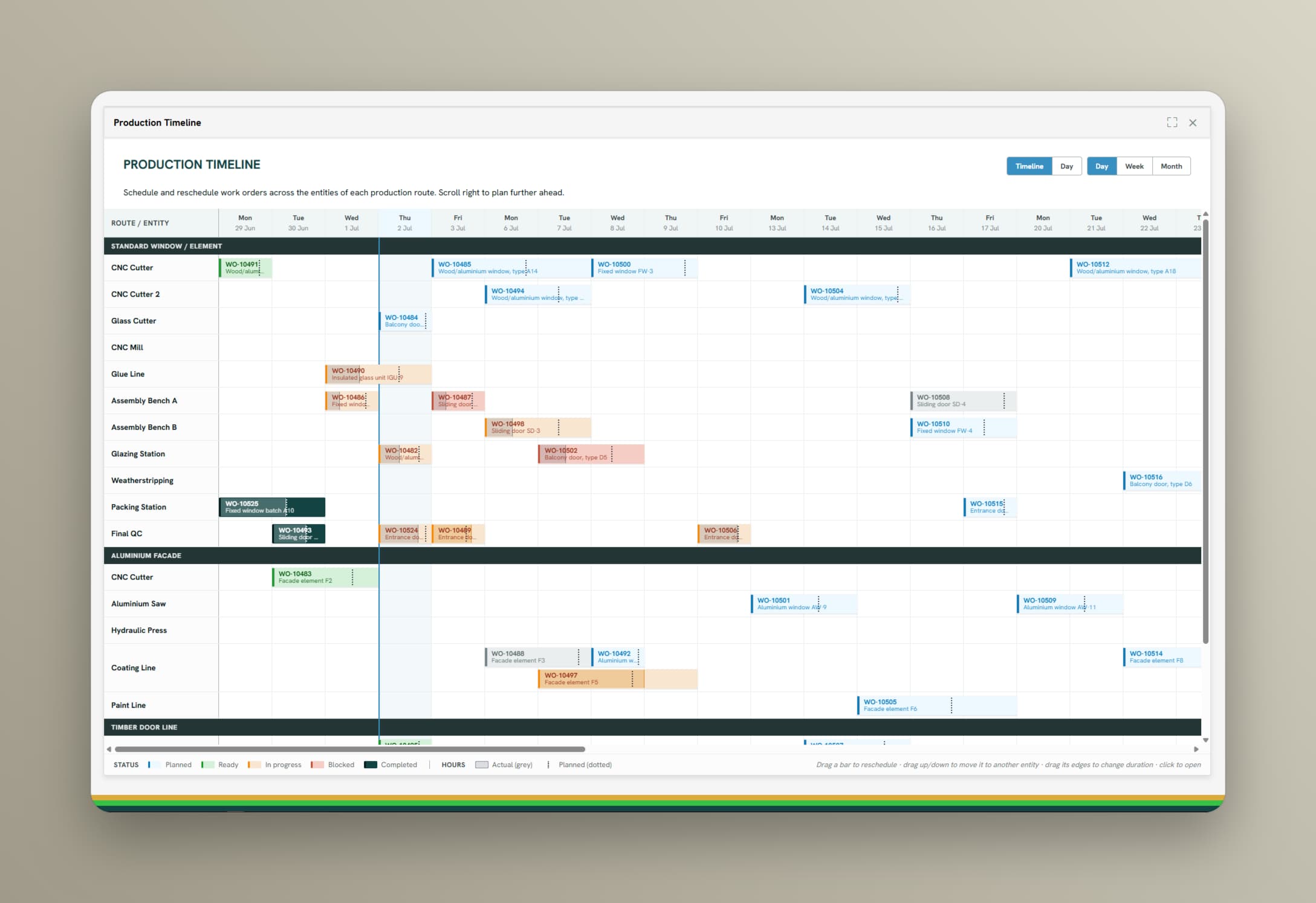
Each product has a route: cut, mill, glue, assemble, glaze, pack. Orders are sequenced across every entity on that route, so a slip at station two is visibly a problem at station five.
Capacity-based scheduling
Schedule against real available hours per machine or workstation and per line, planned maintenance, shift patterns, and known downtime already accounted for.
Run rates from real data
Standard times come from what the machine or workstation has actually produced, per item and per setup, instead of an estimate someone typed in once.
Sequencing and changeovers
Order the queue to cut setup time. See what a resequence costs in changeover minutes before you commit to it.
Conflicts surface early
Overloaded machines or workstations, colliding orders, and missing capacity show up while there is still time to move something.
Replan without rebuilding
A breakdown or a rush order does not mean starting the plan over. Adjust the affected window and see the knock-on effects immediately.
One plan, visible on the floor
Operators see the same sequence the planner sees, on the panel at the machine or workstation. No printed plan from the morning meeting going stale in a folder.
Go deeper
How it works
- 01
Measure
The platform builds run rates and available hours per machine or workstation from production data you are already collecting.
- 02
Plan
Sequence orders across the entities of each route, against that capacity, with setup time and planned maintenance in the same picture.
- 03
Adjust
Progress reports itself from the floor. When something slips, you see the consequence and replan the affected window.
Product view
One row per entity, grouped by route
The board is grouped by production route and broken out per entity underneath it, so a drag from one station to another is a real decision rather than a line moving on a chart. Progress reports itself from the floor as the order moves along the route.